


























Executive Summary & Overview
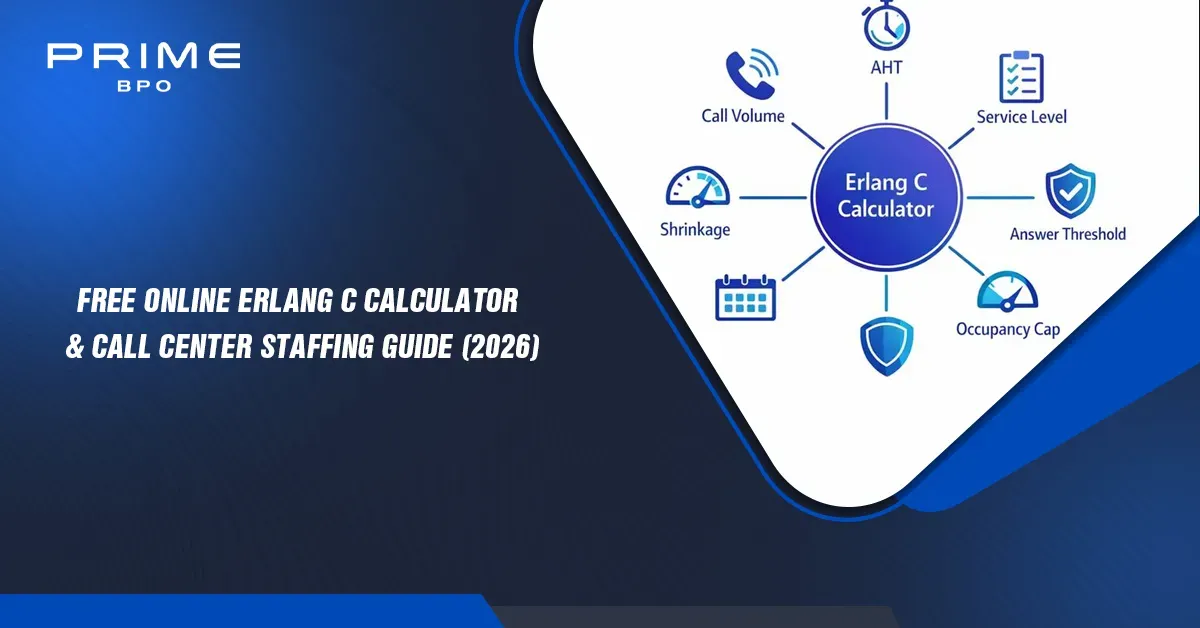
Call center capacity planning answers one question: how many agents are needed in each interval to answer customers quickly without paying for idle seats? Too few agents and service level collapses; too many and cost and attrition rise. An Erlang calculator uses queueing theory to turn forecast call volume, average handling time (AHT), a service level target and a call center shrinkage rate into a defensible headcount.
This page gives you a free Erlang C calculator for call centers, the full Erlang C formula, a worked Erlang C calculation example, Excel and Google Sheets formulas, and a comparison with Erlang A. At Prime BPO, precise queueing math is where every workforce plan starts.
Interactive Call Center Erlang C Staffing Calculator Tool
This online Erlang C calculator works as an Erlang C service level calculator, call center shrinkage calculator and call center staffing calculator. Results update as you type. It supports Erlang C calculator 15-minute intervals and 30-minute intervals.
Deep-Dive into the Erlang C Formula & Workforce Planning Mechanics
What is the Erlang C formula?
The Erlang C formula is the core of the Erlang staffing model and the standard Erlang call center traffic model. It models callers arriving at random, joining one queue and being served by identical agents. The calculation runs in six steps.
The calculator searches upward from N = ⌈E⌉ until both service level and occupancy conditions pass. It uses the Erlang B recurrence internally, which avoids the factorial overflow that breaks naive spreadsheet and script versions at high volume.
Erlang C assumptions and limitations
| Assumption | Reality in a contact center |
|---|---|
| Poisson arrivals | Calls cluster after campaigns, outages and billing runs. |
| Exponential handling times | Real AHT is skewed: many short calls and a few very long ones. |
| No abandonment | Customers hang up; the model keeps them queued, so it is conservative. |
| No retrials | Abandoners redial and inflate volume. |
| Identical agents, one queue | Skills, tenure and channel mix vary. |
Call center shrinkage rate and occupancy caps
Raw agents are people who must be logged in. Shrinkage grosses that up for paid time they cannot take calls: planned (breaks, PTO, training, coaching) and unplanned (sickness, lateness, downtime). Use Shrinkage = (Paid hours − Available hours) / Paid hours; 25 to 35% is typical for inbound. Apply it after Erlang C, never by reducing AHT or volume. In large queues Erlang C can hit target at 92 to 95% occupancy, which burns out agents, so a cap of 80 to 88% often becomes the binding constraint.
Erlang C Calculation Example: 15-Minute vs 30-Minute Intervals
Defaults: 500 calls per 30 minutes, AHT 180 s, 80/20 service level, 30% shrinkage, 85% occupancy cap. Then E = (500 × 180) / 1800 = 50 Erlangs. At N = 55 service level is about 77.9%; at N = 56 it is about 84.1%, so service level alone needs 56 agents. But 50/56 = 89.3% occupancy exceeds the cap, so the answer becomes 59 agents (84.7% occupancy, 94.4% service level, 15.2% P(W), ASA about 3 s). With shrinkage: 59/0.70 = 84.3, so 85 scheduled agents.
Now split the half hour unevenly, 300 calls then 200 calls:
| Interval | Calls | Erlangs | Raw (SL only) | Raw (85% cap) | With 30% shrinkage |
|---|---|---|---|---|---|
| 0:00 to 0:15 | 300 | 60 | 66 | 71 | 102 |
| 0:15 to 0:30 | 200 | 40 | 45 | 48 | 69 |
| 30-minute average | 500 | 50 | 56 | 59 | 85 |
How to Calculate Erlang C in Excel and Google Sheets
For an Erlang C calculator Excel or Erlang C calculator Google Sheets build, put Erlangs in B1, agents in B2, AHT in B3 and answer time in B4. Both apps support POISSON.DIST.
Erlang C probability (C):
=POISSON.DIST(B2,B1,FALSE)/(POISSON.DIST(B2,B1,FALSE)+(1-B1/B2)*POISSON.DIST(B2-1,B1,TRUE))

Service level:   =1-C*EXP(-(B2-B1)*B4/B3)
Average ASA:     =C*B3/(B2-B1)
Occupancy:       =B1/B2
With shrinkage:  =ROUNDUP(B2/(1-shrinkage),0)
List candidate agent counts from ⌈E⌉ downward in rows and pick the first row that meets service level and occupancy. That is the core of a call center staffing model Excel template. Watch precision for very large Erlang values.
Comparing Workforce Tools: Erlang C Calculator Excel vs. Web Calculators
| Criteria | Online web calculator | Excel template | Google Sheets | Enterprise WFM |
|---|---|---|---|---|
| Cost | Free | Free to low | Free | Per-agent license |
| Setup | Seconds | Hours to days | Hours to days | Weeks to months |
| Intervals | One at a time | Full day or week | Full day or week | Automated horizon |
| Shrinkage / occupancy | Often built in | Custom columns | Custom columns | Built in |
| Forecasting & scheduling | No | Manual | Manual | Yes |
| Collaboration | Share a copy | Email versions | Real time | Role-based |
| Best for | Quick sizing | Custom logic | Distributed teams | Large multi-site |
Looking for an Erlang C calculator download or Erlang C calculator free download? Save this page as an HTML file for an offline calculator, or rebuild the Excel formulas above. A web tool wins for quick answers and sanity checks; spreadsheets win for auditability; enterprise WFM wins at scale.
Multi-channel: email, chat and help desk staffing
Erlang C calculator for email: set the threshold in hours (for example 90% within 14,400 s); the result approaches pure workload. Chat: divide chat duration by concurrency to get effective AHT, then use a target such as 80% in 60 s. Erlang C calculator multi-channel: sum channel workloads in Erlangs and pool them only if agents are truly cross-skilled. A help desk staffing calculator or service desk staffing calculator uses the same math with longer, more variable AHT. For an outbound call center staffing calculator, Erlang C fits poorly because you control arrivals; use contacts needed divided by contacts per productive hour, then add shrinkage.
Erlang C vs. Erlang A: Key Differences in Queueing Theory
| Feature | Erlang C | Erlang A |
|---|---|---|
| Abandonment | Not modeled | Modeled via average patience |
| Extra input | None | Average patience time |
| Staffing result | Slightly higher (conservative) | Slightly lower at same service level |
| Accuracy when understaffed | Overstates queue growth | Better under stress |
| Complexity | Closed form | Iterative |
In a well-staffed queue few callers wait long enough to abandon, so both give similar answers. Consider Erlang A when abandonment exceeds roughly 5 to 8% or you set abandonment goals. Either way, calibrate with real patience, AHT distribution and forecast error: no model fixes a poor forecast.
Scaling Global Contact Center Staffing with Prime BPO
A calculator produces a number; staffing it takes hiring, training, scheduling, adherence and quality management. Prime BPO supports call center resource planning, call center capacity planning and call center workforce management: interval forecasting, staffing model calibration with your real shrinkage and occupancy, flexible peak capacity, and multi-channel coverage. Explore Prime BPO contact center solutions, or talk to our team about workforce planning.
Get Free Quotes
Customized Options Await
Frequently Asked Questions (FAQ)
What is the Erlang formula?
The Erlang formulas are queueing equations for telephone traffic. The Erlang is a unit of traffic intensity: one agent fully busy for one hour. Erlang B gives blocking probability for trunk sizing; Erlang C gives the probability a call waits, and from it service level, ASA and agents required.
What is the difference between Erlang A and Erlang C?
Erlang C assumes callers wait until answered. Erlang A adds an average patience parameter so some callers abandon. Erlang C is simpler and slightly conservative; Erlang A suits lean or stressed queues.
What is Erlang C used for?
It finds the minimum agents needed to meet a service level target for a given call volume and AHT. Teams use it for interval staffing, capacity planning, outsourcing evaluation and what-if analysis.
What is the formula for calculating call center staffing?
Compute E = (Calls × AHT) / Interval seconds, find the smallest N > E where 1 − P(W>0) · e−(N−E)·ASA/AHT meets target, cap occupancy at E/N, then divide by (1 − shrinkage). Repeat per interval.